
Integrazione del sistema PhotoRobot e connettività API avanzata
Le seguenti informazioni per i clienti PhotoRobot riassumono l'integrazione del sistema e la connettività API dei sistemi PhotoRobot. Fornisce una panoramica generale del processo di integrazione necessario per l'installazione e la configurazione di PhotoRobot. Trova informazioni sull'integrazione del sistema relative ai dati di input e output e sull'utilizzo delle API PhotoRobot per l'automazione e lo sviluppo.
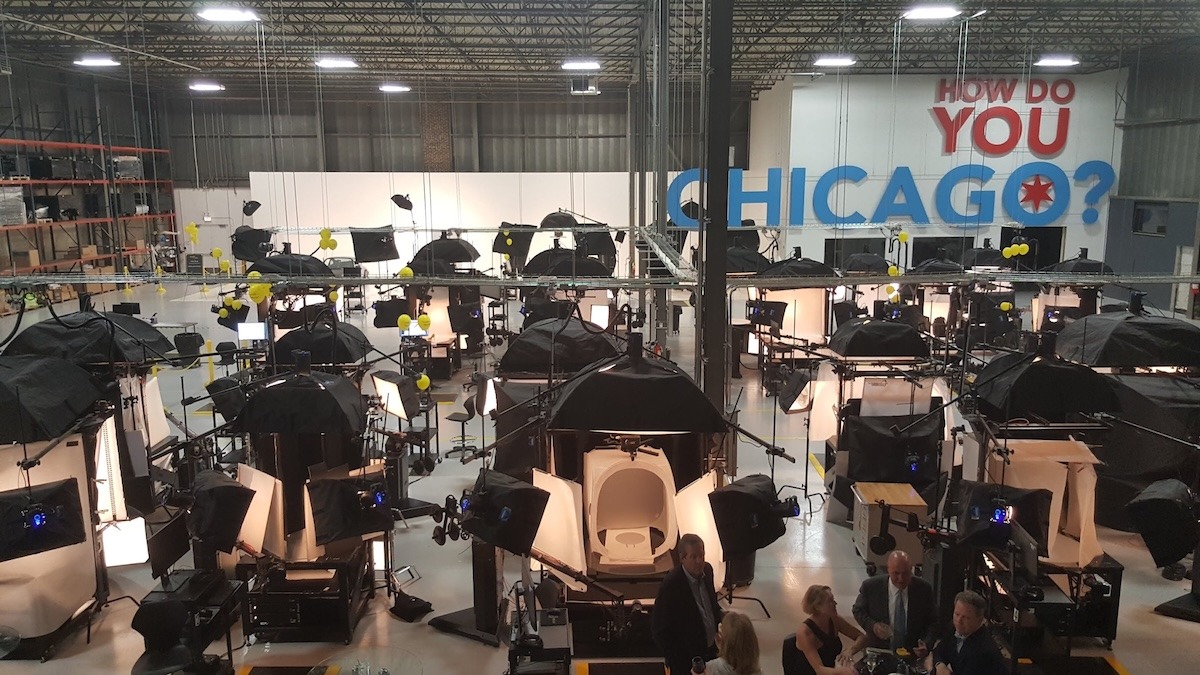
Nota: Queste informazioni mirano a facilitare una comprensione generale dell'integrazione del sistema e includono anche risorse per sviluppatori a supporto dei team IT interni. Per una panoramica della soluzione software, fare riferimento alla Guida alla soluzione software e ai prezzi di PhotoRobot Controls.
Per i team tecnici: Accedi alla documentazione completa sull'integrazione utilizzando il PhotoRobot Developer Portal.
Integrazione del sistema – Riepilogo
Per garantire una produttività ottimale nell'intero processo di produzione di contenuti digitali, è necessario che PhotoRobot si connetta ai sistemi esistenti del cliente. Questa interconnessione del sistema per l'acquisizione di immagini con i sistemi esistenti del cliente coinvolge sia i dati di input (nel PhotoRobot Controls App) e i dati di output.
A livello tecnico, l'integrazione dei sistemi è descritta sulla PhotoRobot Developer Platform. Questa piattaforma è disponibile per essere condivisa nella sua interezza con il reparto IT del cliente per una facile implementazione del servizio. Nel frattempo, il supporto tecnico e di consulenza PhotoRobot è sempre disponibile per i clienti PhotoRobot.
Integrazione dei dati di input
Per la più facile integrazione possibile dei dati di input, esiste un sistema di importazione di file .csv configurabile dinamicamente in PhotoRobot _Controls. Trova una descrizione dettagliata di questo sistema di importazione utilizzando il PhotoRobot Developer Portal.
I seguenti vantaggi di questo sistema di importazione sono degni di nota:
- La struttura delle colonne è configurabile e dinamica, ad esempio durante l'esportazione dei dati.
- È possibile aggiungere più righe (nuovi prodotti) a un progetto preesistente, anche dopo che il lavoro fotografico su un contratto è già iniziato.
- Non c'è rischio di perdere dati quando si aggiungono colonne aggiuntive (tag), come i codici prodotto utilizzati da un altro fornitore che distribuirà anche i prodotti.
Integrazione dei dati di output
Per quanto riguarda i dati di output, il sistema supporta feed dinamici (XML o JSON) con protezione tramite password. Utilizzando questa soluzione, i clienti sono in grado di consegnare le foto a qualsiasi sistema di scelta.
- Il vantaggio principale di ciò è la pubblicazione automatica su un sito web di destinazione immediatamente dopo l'acquisizione delle immagini.
- Ad esempio, non appena il primo lotto di immagini di prodotti per un ordine più grande è completo, possono essere immediatamente messe online mentre il resto dell'ordine rimane in corso.
- Le foto dei prodotti sono immediatamente sul mercato, mentre il tuo studio continua a elaborare il lotto successivo di immagini.
Le funzionalità standard includono il download delle immagini in una struttura di nomi di file configurabile dinamicamente. La struttura è conforme ai requisiti del cliente, con una gamma di formati predefiniti.
Inoltre, uno dei metodi di pubblicazione più fluidi e vantaggiosi è l'integrazione di PhotoRobot Viewer e Spin Viewer.
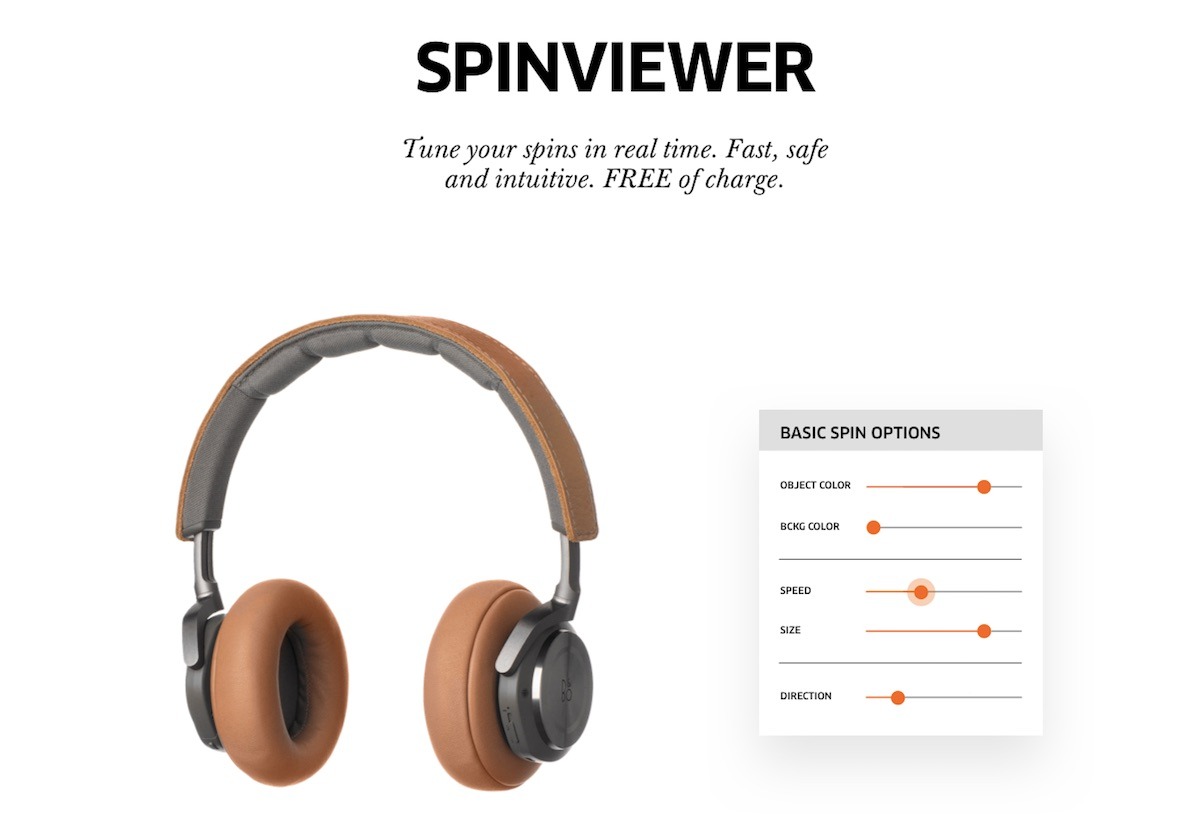
Lo Spin Viewer fornisce l'immagine nella risoluzione appropriata (a seconda del dispositivo dell'utente finale) direttamente dal cloud ai clienti con le velocità incredibilmente elevate di Google CDN.
Controlli Robot e API per Automazione e Sviluppo
Il mezzo standard per il controllo di ogni macchina PhotoRobot è l'interfaccia di comunicazione integrata. Questa interfaccia basata sul web consente il controllo di PhotoRobot tramite una pagina web su desktop o su mobile. Il suo uso primario è come interfaccia di servizio, sebbene alcuni utenti operino il sistema in questo modo. Per identificare il robot in una rete locale e stabilire la comunicazione, l'utente è in grado di localizzare i robot direttamente nell'app PhotoRobot Controls. Oppure è possibile utilizzare l'app PhotoRobot Locator, disponibile per il download tramite PhotoRobot Controls Account - Downloads.
Nota: Per controllare non solo il robot ma anche telecamere, luci e altre apparecchiature da un'unica interfaccia, si consiglia l'uso dell'API PhotoRobot Cloud. L'API Cloud funziona fornendo all'app il controllo sull'acquisizione, inclusa l'operazione di tutte le attrezzature da studio. Non ci sono limitazioni geografiche relative alle posizioni degli studi. In effetti, l'API Cloud è in grado di connettere flussi di lavoro completi dello studio, anche da remoto, fornendo un flusso di immagini e metadati.
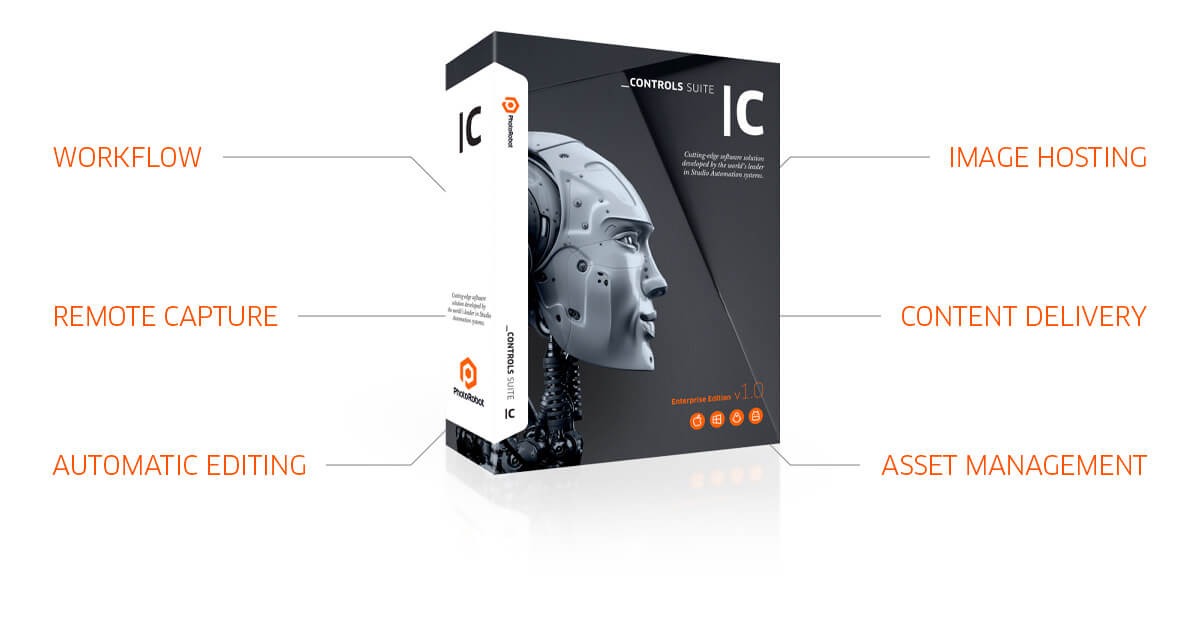
In alternativa, è disponibile l'API dell'unità di controllo, che consente solo la gestione dei movimenti, degli input e degli output della macchina. Tuttavia, a causa della sua complessità e dell'incapacità di controllare apparecchiature diverse dal robot, l'API dell'unità di controllo non è il metodo di controllo preferito. Questa API controlla solo il robot; non è un'API per telecamere, luci e altro hardware o software da studio, che richiedono le versioni API del produttore. Tuttavia, se strettamente richiesta e richiesta dal cliente, l'API dell'unità di controllo è disponibile a €600 all'anno (per ogni unità di controllo).
Per quanto riguarda l'elaborazione delle immagini, l'uso della versione locale o cloud dell'app PhotoRobot Controls è la soluzione migliore e consigliata. L'API PhotoRobot gestisce i processi di back-end, come l'importazione dell'elenco di scatto, l'esportazione dei file e altri processi cruciali. Allo stesso tempo, a causa della complessità del processo di scatto, si ha un maggiore controllo sulle sequenze di acquisizione quando si utilizza PhotoRobot Controls.
PhotoRobot Cloud API & Piattaforma per sviluppatori
Per i team IT tecnici, il PhotoRobot Developer Portal facilita integrazioni cloud senza soluzione di continuità con sicurezza di livello enterprise. Il portale si connette alla PhotoRobot Developer Platform – il toolkit definitivo per la creazione di flussi di lavoro fotografici personalizzati e altamente scalabili.
Utilizzando le API Cloud di PhotoRobot, i team tecnici sono in grado di creare integrazioni affidabili che connettono completamente il loro studio. Ciò aiuta a colmare il divario verso l'automazione completa dello studio, tenendo conto di più che semplici sequenze hardware. Consente la completa integrazione della fotografia di prodotti automatizzata nei cataloghi e nelle pipeline multimediali.
Le API PhotoRobot possono creare articoli di prodotto, automatizzare i flussi di lavoro di acquisizione e fornire immagini elaborate tramite feed di hosting scalabili. Esiste una standardizzazione di livello enterprise, con risposte API completamente unificate, payload standardizzati, convalide condivise e codici di errore chiaramente definiti.
Pertanto, le integrazioni sono robuste e prevedibili, mentre le salvaguardie avanzate contribuiscono a garantire una coerenza dei dati a prova di proiettile. Nel frattempo, gli sviluppatori sono in grado di testare e implementare rapidamente, sfruttando i riferimenti interattivi degli endpoint. Per una panoramica sull'utilizzo del Developer Portal, fare riferimento a Presentazione della PhotoRobot Developer Platform.
PhotoRobot Intelligence (PI) BYOK
Se si introducono modelli di intelligenza artificiale nei flussi di lavoro tramite API, è disponibile l'infrastruttura BYOK di PhotoRobot Intelligence (PI, π). BYOK in PI consente ai clienti PhotoRobot di soddisfare i più elevati standard aziendali, offrendo supporto con controllo a livello di organizzazione per la maggior parte dei principali fornitori di modelli AI.
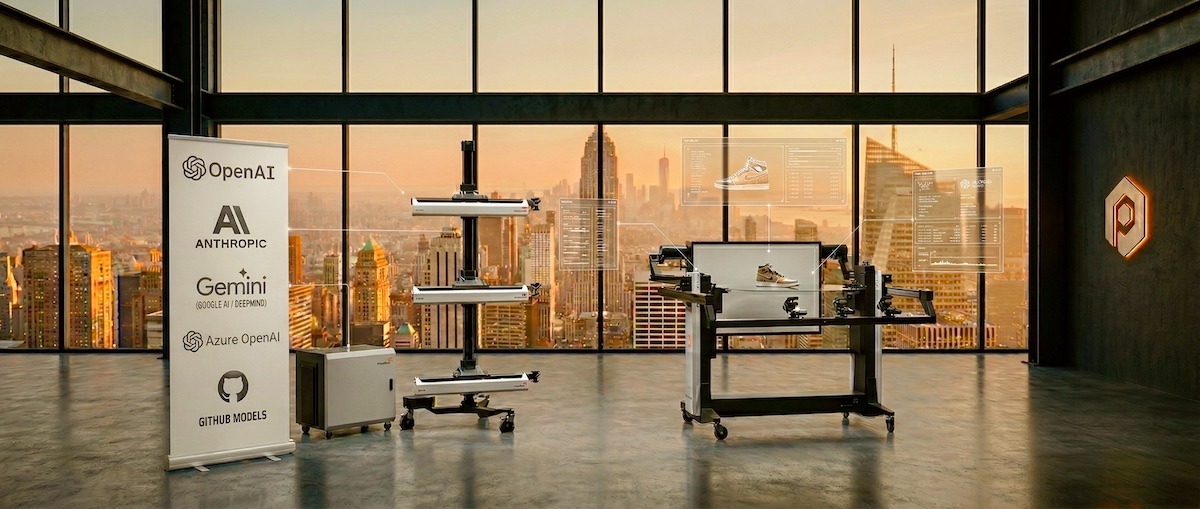
In PhotoRobot Controls, è possibile inserire semplicemente la propria chiave API dal provider con cui la vostra azienda ha già un Accordo Enterprise. L'architettura PI supporta i player più robusti sul mercato come OpenAI, Azure OpenAI, Anthropic, Google AI (Gemini) e GitHub Models.
Inoltre, non ci sono costi nascosti di intermediazione dati, quindi i clienti pagano la potenza di calcolo direttamente al loro fornitore di cloud alle tariffe aziendali negoziate. Quindi, con una connettività sicura, gli studi sono in grado di allineare perfettamente le operazioni utilizzando nuovi modelli di intelligenza con le politiche interne, i requisiti di sicurezza e le strategie di costo aziendali.


Serie EOS Rebel


Serie EOS DSLR


Serie mirrorless EOS M


Serie PowerShot


Primo piano / Palmare

La serie Canon EOS Rebel offre fotocamere reflex digitali adatte ai principianti con una solida qualità dell'immagine, controlli intuitivi e funzioni versatili. Ideali per gli appassionati di fotografia, queste fotocamere offrono una messa a fuoco automatica affidabile, touchscreen orientabili e registrazione video Full HD o 4K.
Connessione
Risoluzione (MP)
Risoluzione
La serie di reflex digitali Canon EOS offre immagini di alta qualità, messa a fuoco automatica veloce e versatilità, che la rendono ideale sia per la fotografia che per la produzione video.
Connessione
Risoluzione (MP)
Risoluzione
La serie mirrorless Canon EOS M combina un design compatto con prestazioni simili a quelle di una reflex digitale. Dotate di obiettivi intercambiabili, messa a fuoco automatica veloce e sensori di immagine di alta qualità, queste fotocamere sono ideali per i viaggiatori e i creatori di contenuti che cercano la portabilità senza sacrificare la qualità dell'immagine.
Connessione
Risoluzione (MP)
Risoluzione
La serie Canon PowerShot offre fotocamere compatte e facili da usare per i fotografi occasionali e gli appassionati. Con modelli che vanno dalle semplici compatte alle fotocamere con zoom avanzate, offrono praticità, qualità dell'immagine solida e funzionalità come la stabilizzazione dell'immagine e i video 4K.
Connessione
Risoluzione (MP)
Risoluzione
Le fotocamere portatili e ravvicinate Canon sono progettate per fotografie e video dettagliati e ravvicinati. Compatti e facili da usare, offrono una messa a fuoco precisa, immagini ad alta risoluzione e funzionalità macro versatili, perfette per vlogging, fotografia di prodotti e primi piani creativi.


